Let your agent
see the web
API to search, fetch and crawl the web.
Frontier models can't answer
basic questions about the web.




Benchmarked Performance
MDBench Hard
v1Hard Markdown extraction benchmark
| API | Questions answered correctly | 95% confidence interval |
|---|---|---|
| Expand | 74.1% | 70.4% to 77.6% |
| Exa | 55.3% | 50.9% to 60.1% |
| Firecrawl | 27.2% | 24.2% to 30.5% |
1,094 questions on 326 hard pages. Claude Sonnet 5.5 answers from each API's Markdown, at its default settings, graded strictly. Expand is the only provider tested that includes the hidden JSON from the page, via X-Ray.
How we measured
MDBench Hardv1
A set of hard web extraction cases that we curated together with our customers. They span enrichment, procurement, pricing and competitive intelligence, among other areas.
It intentionally targets what existing web-to-Markdown systems get wrong.
It is a question-answering benchmark: an agent gets only the page Markdown that each API returns and answers a question about what it says.
Tested on October 8, 2026.

Try it on any page.
Paste a URL, or open one of the examples, and see what your agent gets back.

Instant web data on tap.
Fetch a page, search the web, crawl a site, or subscribe to changes.
Every page comes with accurate Markdown, plus the hidden JSON and a snapshot you can cite.
Frontier quality web data.
Send a URL. Get accurate Markdown, plus the hidden JSON and a snapshot you can cite.
- Iris
Jev for the web.
Iris is a vision model for the web. It reads the rendered page like you do and writes the main content as accurate Markdown. Navigation and footers go to the , one call away. The rest is noise, so it goes.
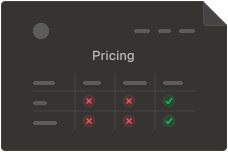
Iris docsOn a pricing page, Iris preserves the pricing table as Markdown, moves the navigation and footer to the appendix, and removes promotional and cookie banners.
- X-Ray
The hidden data, without a browser.
Coordinates, flight gates and diagrams often live in JSON the page loads, not in its HTML. X-Ray, our second System 1 model, finds the parts that matter and drops the rest.
X-Ray docsLinear's pricing page contains 17,374 tokens of hidden JSON, including customer stories. X-Ray identifies the relevant information, like the fact that Commure has logged over 80,000 requests across thousands of healthcare customers.
linear.app/pricingstate.json - Wayback Machine
Every fetch becomes an asset you own.
Verify every answer precisely. Every line links back to the element on the page it came from, even after the site changes.
Hover to debug. Share to cite.
Wayback Machine docs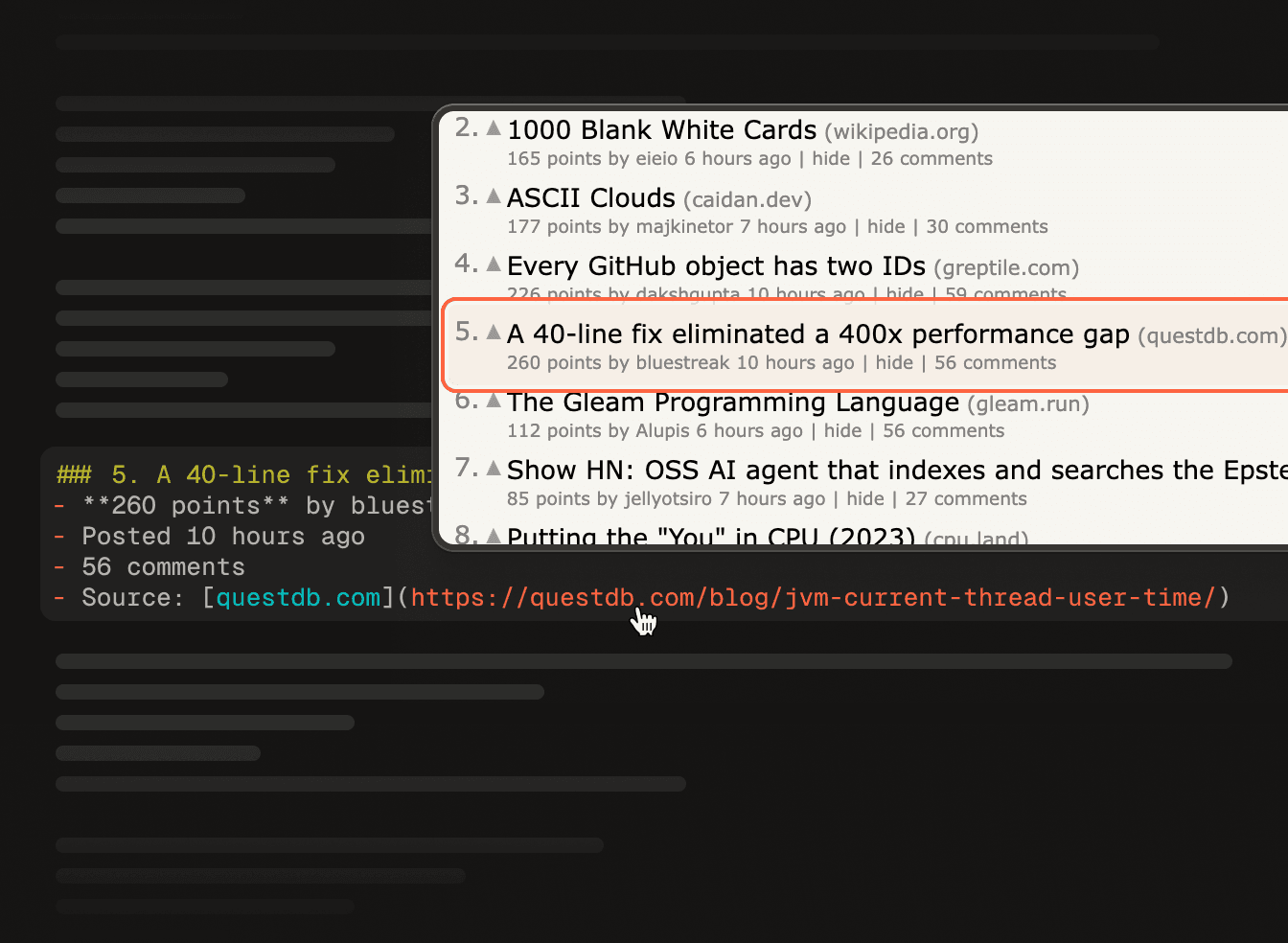
- Highlights
Let your agent focus on what matters.
If your agent already knows what it's looking for, Highlights saves over 95% of tokens with no loss in accuracy. Pass a query and get back only the passages that answer it.
Faster TTFT
Zero noise
Stripe's webhooks guide as Expand captured it, with the playground's Highlights. Ask it a question and the passages that answer it are framed, a few hundred of the page's 6,800 tokens.
docs.stripe.com/webhooks6,800 tokens6,800 tokensTry
Pareto frontier search.
No search API we tested matches Expand's accuracy at a lower price. $1.50 per 1,000 searches.
Research accuracy for up to 80% less.
In our 600-question research benchmark, Expand reached 90.7% accuracy at 66–80% lower search costs than Exa's and Brave's APIs.
No charge for failed or empty searches.
Read this page with your question in mind.
import { ExpandClient } from '@expandai/sdk'

const expand = new ExpandClient()

const page = await expand.fetchJson({
  url: 'https://docs.stripe.com/keys',
  highlights: { query: 'how do I rotate a Stripe API key' },
})

Crawl like the big boys.
One API call crawls any website. Every page comes back as a full Fetch: Markdown from Iris, State JSON from X-Ray and a snapshot.
Crawl anything with one command.
Our crawler scales to millions of pages, so you don't need to manage state or processes.
No extra cost for crawling: each page is one credit, the same as a Fetch.
crawl- stripe.com8/9
- /api
- /webhooks
- /pricing
- /blog
stripe.comCrawlingPages8 / 9In flight1Failed0DiscoverRenderFinish8 of 9 pages settled1 rendering
Subscribe to a website.
Monitor a crawl for what changed, or keep a constant change feed. Every added, changed and removed page arrives in order on a durable stream you can resume from where you left off.
A syncing engine for the web.
WebSync rechecks every page on your schedule and streams each change as an event: a page added, a page changed with its diff, a page removed with the evidence.
Monitor a site for changes
A constant change feed
A durable stream you can resume from where you left off
Give your agent a brain on disk: a Markdown file per page, kept in sync.
eventsTtype: 'page.added',url: '/blog/launch-week',TdiscoveredBy: 'sitemap',12depth: 1Ttype: 'page.changed',url: '/pricing',▼{}diff▼{}price12from: 16,12to: 19Ttype: 'page.changed',url: '/status',▼{}diff▼{}incidents12from: 0,12to: 1Ttype: 'page.removed',url: '/careers/designer',▼{}evidenceTkind: 'http-404'Ttype: 'page.added',url: '/docs/auth',TdiscoveredBy: 'link',12depth: 2Ttype: 'page.changed',url: '/enterprise',▼{}diff▼{}seats12from: 5,12to: 10Ttype: 'page.added',url: '/blog/launch-week',TdiscoveredBy: 'sitemap',12depth: 1Ttype: 'page.changed',url: '/pricing',▼{}diff▼{}price12from: 16,12to: 19Ttype: 'page.changed',url: '/status',▼{}diff▼{}incidents12from: 0,12to: 1Ttype: 'page.removed',url: '/careers/designer',▼{}evidenceTkind: 'http-404'Ttype: 'page.added',url: '/docs/auth',TdiscoveredBy: 'link',12depth: 2Ttype: 'page.changed',url: '/enterprise',▼{}diff▼{}seats12from: 5,12to: 10GET /v1/crawls/:id/events?offset=-1&live=sse

Let your agent pay attention to what matters.
Progressive disclosure
The best of both worlds.
Other tools make you choose the full page or a trimmed one. Your agent reads the main content first and asks for the rest only when it needs it: nothing lost, far fewer tokens.
Lossless
Nothing is thrown away.
Existing web-to-Markdown tools follow hard-coded rules and lose crucial details in the conversion. The web is too complex for rules.
If something is still missing, progressive disclosure has you covered.
- page.mdMarkdown
- appendix.mdthe rest
- state.jsonhidden JSON
- network.harrequests
- screenshot.pngif requested
- assets/142 files
- archive.waczreplay
Token efficient
24% fewer tokens at scale.
At 5 million requests a month on Gemini 4, that is $576K a year.*
*With JSON mode off. Input tokens only; the output is the same either way.
Other Markdown APIs
20,000 tokens a page · 100B tokens
Expand, JSON mode off
15,200 tokens a page · 76B tokens
($2/M input, $10/M output)You save ~$576,000 a year
Getting Started
It works out of the box without any configuration—JavaScript rendering and bot checks are handled automatically for every request.
Use the SDK
TypeScript. Python SDK coming soon.
One call returns the page as accurate Markdown, read by Iris, plus the hidden JSON when you ask for it.
Fetch docs

Pricing
Only pay for what you need
Free
Try the platform at no cost.
10,000 free credits ($10) to explore everything below.
Pay as you go
PopularPrepaid credits, $1 per 1,000.
Pay only for what you need. No monthly commitments.
Enterprise
Web-scale with white-glove support at enterprise security.
| Feature | FreeTry the platform at no cost. 10,000 free credits ($10) to explore everything below. | Pay as you goPopularPrepaid credits, $1 per 1,000. Pay only for what you need. No monthly commitments. | EnterpriseWeb-scale with white-glove support at enterprise security. |
|---|---|---|---|
Everything below is billed in credits: 1,000 credits cost $1, and a successful Fetch is one credit. Buy them as you go; they do not expire. Failed, blocked, and empty requests cost nothing. | 10,000 free | $1 / 1,000 | Custom allocation |
One credit per successful Fetch, or $1 per 1,000. Asking for Highlights alongside a Fetch adds one credit. A fetch that fails costs nothing. | 1 credit | $1 / 1,000 | Contact sales |
Search a page you already fetched for the exact passages you need. You get ranked, cited snippets without a re-fetch. One credit per request, or $1 per 1,000, independently of Fetch. 99% token reduction99% accuracy | 1 credit | $1 / 1,000 | Contact sales |
PDFs convert to Markdown at one credit a page, or $1 per 1,000, on top of the Fetch. Scanned pages add five credits each, below. Office files, ebooks, and data files convert locally and cost nothing extra. PDF, office, ebook, data | 1 credit / page | $1 / 1,000 pages | Contact sales |
A page with no usable text layer is read by a vision model, which adds five credits ($0.005) on top of the page, so a scanned page costs six credits. Every image is one such page. A 40-page PDF with 15 scanned pages costs 116 credits: 1 for the Fetch, 40 for the pages, and 75 for the scans. vision model | +5 credits / page | +$5 / 1,000 pages | Contact sales |
A YouTube URL returns the transcript with timestamps, chapters, and a frame for every moment, for five credits ($0.005) a video on top of the Fetch, whatever its length. A video with no captions is transcribed instead and adds ten credits a minute. YouTube | 5 credits / video | $5 / 1,000 videos | Contact sales |
Audio files transcribe to Markdown at ten credits ($0.010) a minute, rounded up, with a one-minute minimum. MP3, WAV, M4A, FLAC | 10 credits / minute | $0.010 / minute | Contact sales |
Give Crawl a URL and get back the pages it finds on that site, each one a full Fetch. One credit per page it keeps, the same as a Fetch, or $1 per 1,000. Pages it opens only to follow their links cost nothing. | 1 credit / page | $1 / 1,000 pages | Contact sales |
Send a question and get back the most relevant pages on the web, ranked, each with its URL, title, and an excerpt. 1.5 credits per search, or $1.50 per 1,000. A search that fails or finds nothing costs nothing. | 1.5 credits | $1.50 / 1,000 | Contact sales |
Iris uses small models to keep only the high-signal fields and elements, so your agent gets the useful data without the full page JSON flooding its context. | |||
Main content is split from secondary regions like nav, footers, and related links. Your agent reads the main document first and pulls the appendix in only when needed. | |||
Fetch gets past common bot checks and CAPTCHAs on its own, so many pages that block automated access still render. Fully managed, with nothing to configure. | |||
Layout-aware Markdown that preserves tables, grids, pricing pages, and icons instead of flattening them into loose paragraphs, so the structure your agent needs survives extraction. | |||
Concurrency | 2 | Burst up to 100 concurrent requests. | 200+ |
Storage | 7 days | 30 days | 30+ days |
Support | Email support only | Standard support | High priority support: opt-in Slack channels and live chats |
SSO | — | — |

FAQ
Questions
Isn't turning a web page into Markdown a solved problem?
It works for a news article and breaks on many other layouts. Converters guess the main content with fixed rules, the way reader mode does. On a pricing table, a product page or a dashboard, that guess drops the icons, flattens the table and misses the data the page loads. Iris looks at the rendered page instead, every element with its position, size and weight, and sorts each one into preserve, prune or appendix.
Why not hand my agent the raw HTML, or a browser?
Raw HTML is mostly markup and scripts your agent pays tokens to read, and a JavaScript app arrives as an empty shell. A browser with screenshots works, but it is slow and expensive, and the tokens add up fast. Expand renders the page in a real browser for you and returns what it shows as Markdown, at API speed.
How do I know what my agent actually read?
Each browser page fetch saves the captured page with every asset. Open expand.land/s/<snapshotId>/playground and click any line of the Markdown to see where it came from on the page, even after the site has changed. Share the link to cite it.
What is the hidden JSON?
The data behind what a page shows, including values that never appear as text: a product's price, rating and stock, the coordinates on a map, a flight's gate. X-Ray reads that JSON, keeps the parts a question could be asked about and drops the analytics and configuration. It comes back next to the Markdown, in the same call.
My agent needs one answer. Does it have to read the whole page?
No. Pass a question with the fetch and Highlights returns only the passages that answer it, ranked. That saves over 95% of tokens with no loss in accuracy, and your agent gets to its first token sooner.
What about sites behind bot protection?
Fetch gets past common bot checks and CAPTCHAs on its own, on every plan, so many pages that block automated access still render. There is nothing to configure. It won't get past every check, and it doesn't sign in. When a page is blocked, you get a 403 that says why, and it costs nothing.
Can it read PDFs, spreadsheets and YouTube videos?
Yes, on the same endpoint. Send the URL and Fetch converts PDFs, images, office files, ebooks and data files into the same Markdown. A YouTube link returns the transcript, and a video without captions is transcribed from its audio.
How fast is a fetch?
Most pages come back in a few seconds, browser render included. Iris itself reads about 500,000 tokens a second.
Which agents does it work with?
Paste the setup prompt into Claude Code, Codex, Cursor, OpenCode or fx. It connects your agent to Expand and installs the CLI when it needs one. Approve the sign-in in your browser when asked. From your own code, call the TypeScript SDK or the API.
Give your agent reading glasses.

 Our World in Data
 arXiv paper (PDF)
 YouTube video